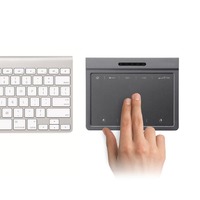
Bluetooth Wireless Touchpad Windows Multi-Touch 2 Hub
Product sourcing details
- Place Of Origin
- Shenzhen
- Minimum Order
- 1000
- FOB Price
- USD $18.50 / Piece
- Packaging
- 50pcs/carton
- Delivery
- 15 Days
Specifications
Build with 2 USB HUB port
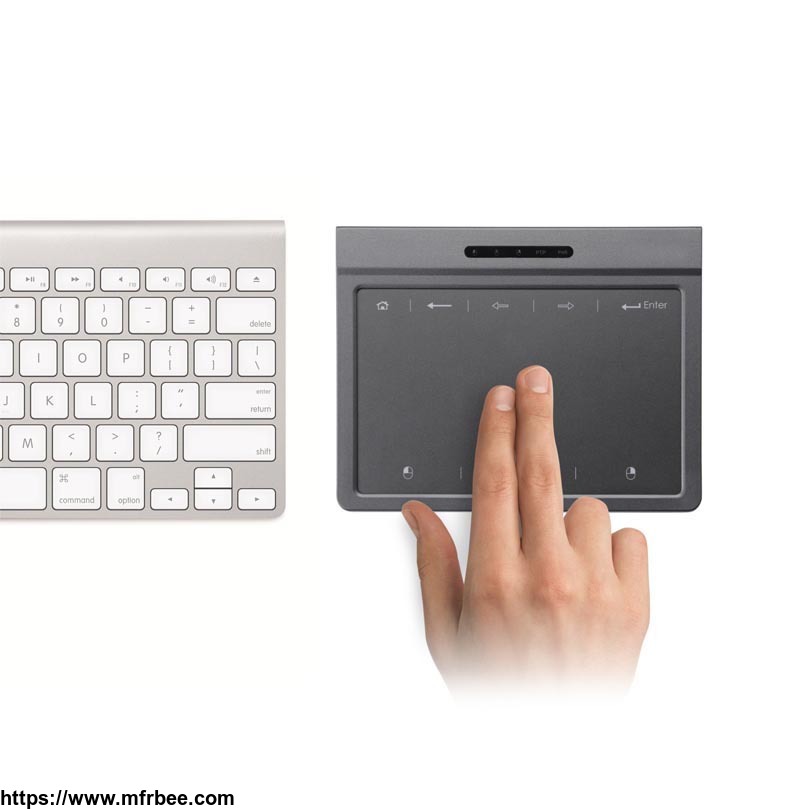
Offers fast, fluid navigation at your fingertips to quickly scroll, zoom and much more
Large, silky smooth glass surface, embedded precision sensors and resistance to fingerprints and scratches
Recognizes up to 13 unique Windows 8 gestures, including one to easily access your favorite apps
Fast, fluid Windows 8 touch navigation: Glide through all your content with the full range of Windows 8 touch gestures
Large, glass touch area: Spacious touch surface delivers premium smoothness and navigating precision
Click-anywhere surface: Click wherever your fingers rest, virtually anywhere on the touch surface
Rechargeable convenience: Long-life internal battery with easy USB charging, even while you work
Wireless simplicity: Tiny Unifying receiver connects up to six compatible mice and keyboards using just one USB port
Glide through Windows 8 with more surface, more gestures.
Unlock the power of your Windows 8 PC with the touchpad that puts the full range of Windows 8 multi-touch gestures at your fingertips. With a roomy glass surface and precision sensors, you get smooth, effortless navigation of everything from email to Facebook-in a wireless touchpad that built-in trackpads simply can\'t touch.
* Battery life may vary based on usage and computing conditions.
noteworthy features
Full touch surface for smooth control
Enlarge
Fast, fluid navigation at your fingertips
13 gestures-Windows 8 touch navigation at its best and fullest
Glide through web pages, emails, documents and more with simple, intuitive finger gestures
scrolling
Smooth horizontal/vertical scrolling
Use two fingers for smooth-as-silk scrolling along the glass touch surface.
click
Point and click anywhere
Glide one finger anywhere across the surface to point. Tap to click wherever your fingers rest.
Windows 8 Start Screen
New Windows 8 Start Screen gesture
Three-finger swipe up to quickly access your apps, contacts, calendar and more.
Windows 8 Edge Gesture
New Windows 8 Edge Gesture
Swipe one finger across the edge from left-to-right to switch apps; right-to-left to go to the charms menu; top-to-bottom to activate the app menu.
Pinch to zoom
Pinch to zoom
Two-finger pinch to zoom in and out of photos, web pages, documents
Offers fast, fluid navigation at your fingertips to quickly scroll, zoom and much more
Large, silky smooth glass surface, embedded precision sensors and resistance to fingerprints and scratches
Recognizes up to 13 unique Windows 8 gestures, including one to easily access your favorite apps
Fast, fluid Windows 8 touch navigation: Glide through all your content with the full range of Windows 8 touch gestures
Large, glass touch area: Spacious touch surface delivers premium smoothness and navigating precision
Click-anywhere surface: Click wherever your fingers rest, virtually anywhere on the touch surface
Rechargeable convenience: Long-life internal battery with easy USB charging, even while you work
Wireless simplicity: Tiny Unifying receiver connects up to six compatible mice and keyboards using just one USB port
Glide through Windows 8 with more surface, more gestures.
Unlock the power of your Windows 8 PC with the touchpad that puts the full range of Windows 8 multi-touch gestures at your fingertips. With a roomy glass surface and precision sensors, you get smooth, effortless navigation of everything from email to Facebook-in a wireless touchpad that built-in trackpads simply can\'t touch.
* Battery life may vary based on usage and computing conditions.
noteworthy features
Full touch surface for smooth control
Enlarge
Fast, fluid navigation at your fingertips
13 gestures-Windows 8 touch navigation at its best and fullest
Glide through web pages, emails, documents and more with simple, intuitive finger gestures
scrolling
Smooth horizontal/vertical scrolling
Use two fingers for smooth-as-silk scrolling along the glass touch surface.
click
Point and click anywhere
Glide one finger anywhere across the surface to point. Tap to click wherever your fingers rest.
Windows 8 Start Screen
New Windows 8 Start Screen gesture
Three-finger swipe up to quickly access your apps, contacts, calendar and more.
Windows 8 Edge Gesture
New Windows 8 Edge Gesture
Swipe one finger across the edge from left-to-right to switch apps; right-to-left to go to the charms menu; top-to-bottom to activate the app menu.
Pinch to zoom
Pinch to zoom
Two-finger pinch to zoom in and out of photos, web pages, documents
- Company: HONGKONG ASTARIAS CO., LTD
- Country: China (Mainland)
- Business Type: ASTARIAS is a company works in computer and mobile accessories
- Founded Year: 2015
- Contact: John Ho